Shared team view
everyone sees priorities and status in one place
Reduce no-shows with reminders and live availability.
Centralise customer records, segmentation, and retention workflows.
Manage SMS, email, and chat conversations in one place.
Capture and convert new enquiries with clearer follow-up.
Use live and team chat to reply faster and book more clients.
Track transactions, credits, refunds, and checkout-linked revenue.
Run campaigns and segments tied to booking outcomes.
Reward repeat visits with tracked progress, credits, and discounts.
Sell recurring plans with included services, enrol clients, and keep renewals on autopay.
Drive repeat revenue with tracked promotions and redemptions.
Connect paid campaigns to lead and booking conversion workflows.
Coordinate social workflows with revenue and retention goals.
Manage stock, suppliers, and retail performance in one stack.
Coordinate rota, roles, and team execution workflows.
Keep day-to-day actions visible, assigned, and completed.
Capture intake and consent data with cleaner records.
Run resource-aware scheduling and service continuity workflows.
Bookings, reminders, and client growth for salons.
Operational control and patient communication in one system.
Consults, treatment plans, and repeat bookings without manual admin.
Simple workflows for solo beauty therapists.
Consult, treatment, and touch-up workflows in one place.
Practitioner-led treatment journeys with stronger retention.
Protect refill workflows and improve repeat demand.
Keep bookings, checkout, and retail operations connected.
Run member journeys and retention campaigns from one place.
Service + software workflows designed to drive more bookings.
Content and engagement workflows tied to enquiries and bookings.
Google, Meta, TikTok, and Microsoft PPC campaigns managed end to end.
Launch booking-connected web experiences quickly.
Transcriptions and treatment reports powered by your voice.
Talk to our team about growth workflows for your business.
AI-driven inbox handling across email, SMS, and social.
AI voice assistant for incoming booking calls.
Learn about our mission and platform focus.
Common questions about setup, workflows, and support.
Operational and growth insights for beauty teams.
Head-to-head comparisons against major alternatives.
Compare form-first tooling with full booking-to-retention coverage.
Compare operations and growth workflow depth.
Compare enquiry conversion and repeat-booking support.
Team Operations
Managed helps salon, clinic, and medspa teams stay aligned on roles, rota, and handovers.
No card required. Setup support included.
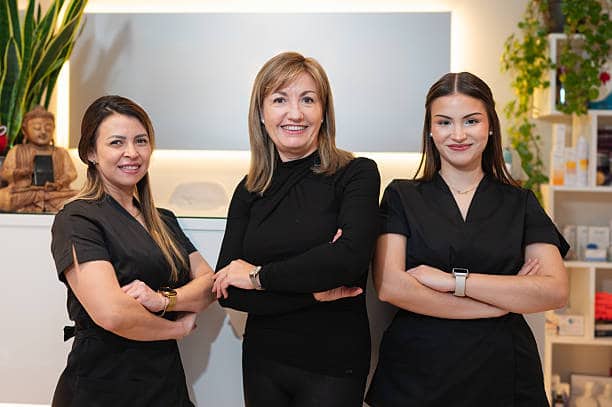
Shared team routines that are clear and easy to follow.
As teams grow, unclear ownership leads to delays and inconsistent service.
Set clear ownership for each client journey step. Match staffing to booking demand. Keep communication and handovers visible to everyone.
Shared team view
everyone sees priorities and status in one place
Faster handovers
less time lost between front desk and practitioner teams
Clear ownership
responsibilities are assigned and visible
Shift clarity
better visibility across opening and closing shifts
Tasks are missed or duplicated when ownership is unclear.
Rota plans struggle when staffing does not match demand.
Client experience becomes inconsistent without clear standards.
Important details are lost between front desk and practitioners.
How it works
A practical flow your team can follow without adding extra complexity to busy days.
Set permissions and ownership so everyone knows their role.
Plan rota based on real appointment demand.
Review handovers and task completion to keep standards high.
Control who can access and change critical tasks.
Stronger accountability
Proof: Role-based permissions
Plan staffing using upcoming bookings and service demand.
Better team coverage
Proof: Demand-aware rota planning
Standardise key tasks and handovers across your team.
Less coordination stress
Proof: Shared task tracking
Keep front desk and practitioner teams on the same page.
More consistent service delivery
Proof: Shared team activity view
Clear day-to-day wins for owners, front desk teams, and practitioners.
Pain: Too many manual checks and unclear performance across the week.
Outcome: More visibility and fewer avoidable admin tasks.
Pain: Replying, booking, and handovers are spread across tools.
Outcome: Faster replies and cleaner booking handovers.
Pain: Missing context before appointments leads to slower service.
Outcome: Better client context and smoother appointments.
Practical results your team and clients should notice quickly.
Set team roles, permissions, and handover standards.
Improve rota planning and reduce daily coordination noise.
Scale consistent service delivery as your team grows.
A practical 90-day journey focused on easier daily operations and repeat revenue.
Month 1
Set up the core flow and reduce avoidable admin on busy days.
Month 2
Improve handovers so more enquiries and visits are handled smoothly.
Month 3
Turn smoother daily operations into stronger rebooking and client retention.
Quick answers from teams evaluating Managed
Start free and improve team coordination from your first week.